Description:
Web hosting solutions are perfect for adding more security to your website and protecting your data. However, you must never fully rely on these servers as they are not sufficient sometimes. The best practice is to opt for a reliable hosting plan with enough security, and VPS could be your best take.
Once you have purchased a VPS plan for your business website, you need to ensure its security. The tricks uncovered in this post will help you stay on the safer side and add more protection to your server. Do you want to purchase a secure hosting plan for your business website? Consider contacting website hosting Dubai companies. Let us go through the points to add more security to your VPS hosting plan!
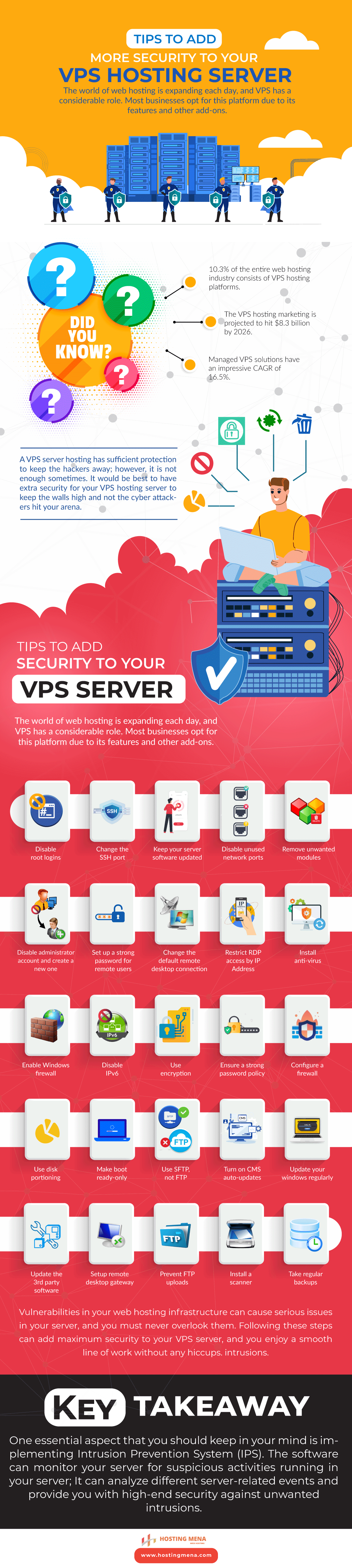
The world of web hosting is expanding each day, and VPS has a considerable role. Most businesses opt for this platform due to its features and other add-ons.
Did you know?
- 10.3% of the entire web hosting industry consists of VPS hosting platforms.
- The VPS hosting marketing is projected to hit $8.3 billion by 2026.
- Managed VPS solutions have an impressive CAGR of 16.5%.
A VPS server hosting has sufficient protection to keep the hackers away; however, it is not enough sometimes. It would be best to have extra security for your VPS hosting server to keep the walls high and not the cyber attackers hit your arena.
Tips to Add security to a VPS Server:
Following are a few useful tips that can make your VPS server even more protected. With high-end security in place, hackers won’t be able to touch your server, and you can keep your data protected.
- Disable root logins
- Change the SSH port
- Keep your server software updated
- Disable unused network ports
- Remove unwanted modules
- Disable the administrator account and create a new one
- Set up a strong password for remote users
- Change the default remote desktop connection
- Restrict RDP access by IP Address
- Install anti-virus
- Enable Windows firewall
- Disable IPv6
- Use encryption
- Ensure a strong password policy
- Configure a firewall
- Use disk portioning
- Make boot ready-only
- Use SFTP, not FTP
- Turn on CMS auto-updates
- Update your windows regularly
- Update the 3rd party software
- Setup remote desktop gateway
- Prevent FTP uploads
- Install a scanner
- Take regular backups
Vulnerabilities in your web hosting infrastructure can cause serious issues in your server, and you must never overlook them. Following these steps can add maximum security to your VPS server, and you enjoy a smooth line of work without any hiccups.
Key Takeaway:
One essential aspect that you should keep in your mind is implementing Intrusion Prevention System (IPS). The software can monitor your server for suspicious activities running on your server; It can analyze different server-related events and provide you with high-end security against unwanted intrusions.
 Web Hosting Dubai
Leave a comment